Redesigning Transaction Conversion in Accounting Software
The Problem
In accounting software it is not uncommon transactions to get misclassified. If our system marked a transaction as an expense when it should have been a bank transfer or tax payment, correcting it required:
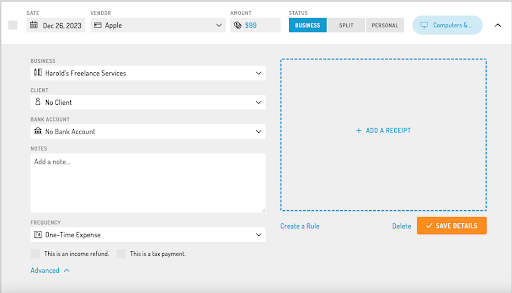
Clicking a checkbox that literally read “This is a bank transfer.”
Saving the form
Locating and reopening the transaction
Entering newly required fields
Saving again
Some transaction types required completely different fields. Since those fields didn’t update until after the conversion was saved, finalized transactions could become pending transactions again if the new transaction type had required fields (such as the deposit account on a bank transaction). This whole process caused confusion and wasted time.
The Solution
I redesigned transaction conversion as an explicit, dynamic action.
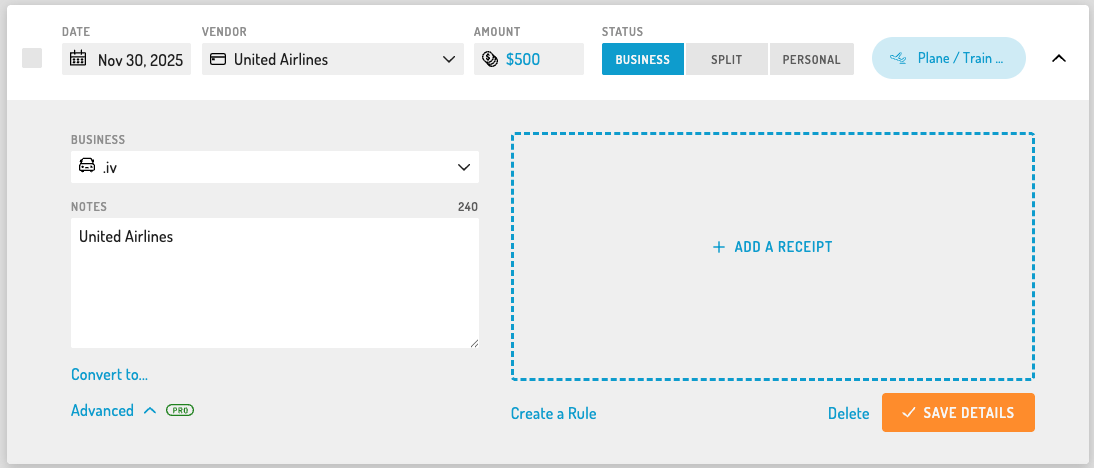
Instead of a list of checkboxes checkboxes, I introduced a “Convert to…” button.
When clicked:
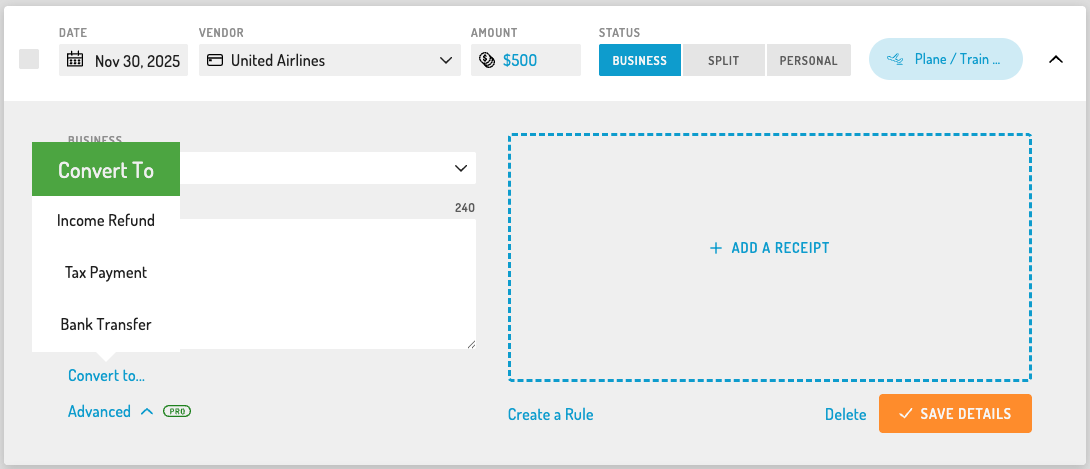
A popup shows valid conversion options
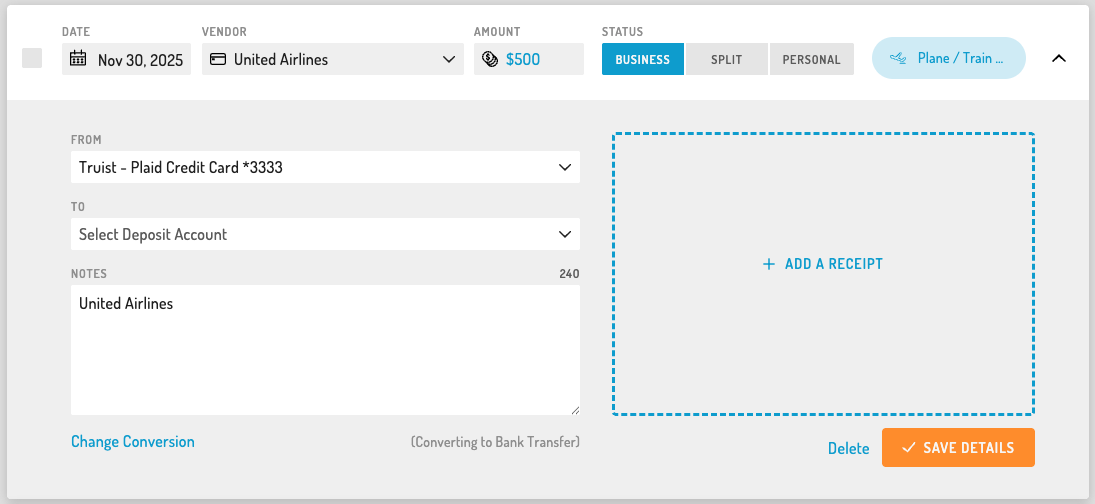
Selecting a type dynamically transforms the current form
The correct fields render immediately
Users complete the update and save once
This allowed conversion and editing to happen in a single flow, including editing any relevant fields specific to the new transaction type. Under this paradigm, “conversion” is treated as a deliberate state change rather than a toggle that obfuscates required fields on a transaction.
Technical Execution
I designed a type-driven form architecture that:
Preserved shared data during conversion
Removed incompatible fields safely
Injected required fields dynamically
Revalidated the form automatically
Supported only valid transaction transitions
This unified previously inconsistent conversion logic across multiple form types.
Impact
Eliminated multi-save conversion workflow
Reduced friction when correcting transaction mistakes
Improved consistency across transaction forms
Created a reusable pattern for dynamic form reconfiguration
Why This Matters
This project demonstrates my ability to:
Align UI behavior with domain logic
Simplify complex workflows
Design dynamic, state-aware interfaces
Own a feature from concept through implementation
Expense form with old checkbox conversion UX
Expense form with new state-based conversion UX